Meet
Get live websites
and apps
reviewed faster

Bring clients and teammates into the same review space. Comment on live pages, preview links, and prototypes — then turn feedback into action with your AI tools. No more screenshots. No vague Slack threads. No guessing what someone meant.

The first 10 founding members get 50% off their first year

Built for feedback on interactive work

Open a page from its link, or add one line of script to your app. Either way, feedback is pinned right on the interface.

Just the link

Best for websites

No setup. Paste a public URL and start reviewing with your team or clients.

  • Live websites
  • Preview deploys
  • Coded prototypes

With a script

Best for apps

Add one line of code and a handy Dotto widget lets you comment right on your app, in your own browser.

  • Apps behind login
  • Private staging
  • Localhost
How it works

Less back-and-forth. More moving forward. Paste a URL. Start reviewing.

1
Add your website, prototype or app
Paste a public URL, or add one line of code to apps behind a login.
2
Browse it normally
Click through the experience just like a real user would.
3
Switch to Comment mode
Click anywhere to pin feedback directly to a specific element.
4
Share it with your team or client
Send one link. Reviewers can browse, comment and reply without creating an account.
5
Bring feedback into your AI workflow
Your AI agent can pull comments with their context, work on the changes, and reply when they’re ready to review.
getdotto.com
Product

Everything you need to review, discuss, and move forward.

Keep the context with every comment

Feedback stays attached to the place it was left. Dotto also captures the page, device and a screenshot, so the team can see what the reviewer saw — even after the site changes.
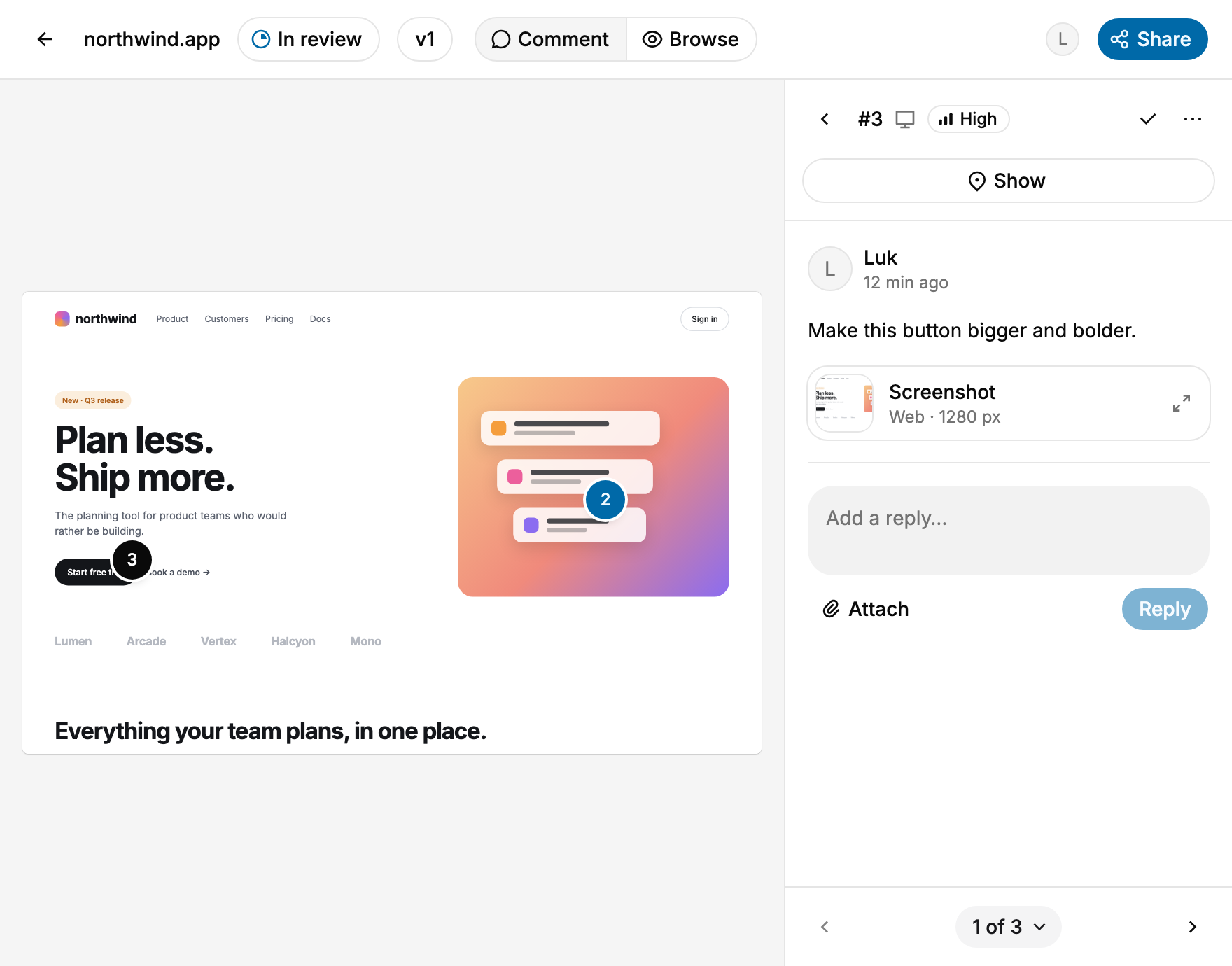
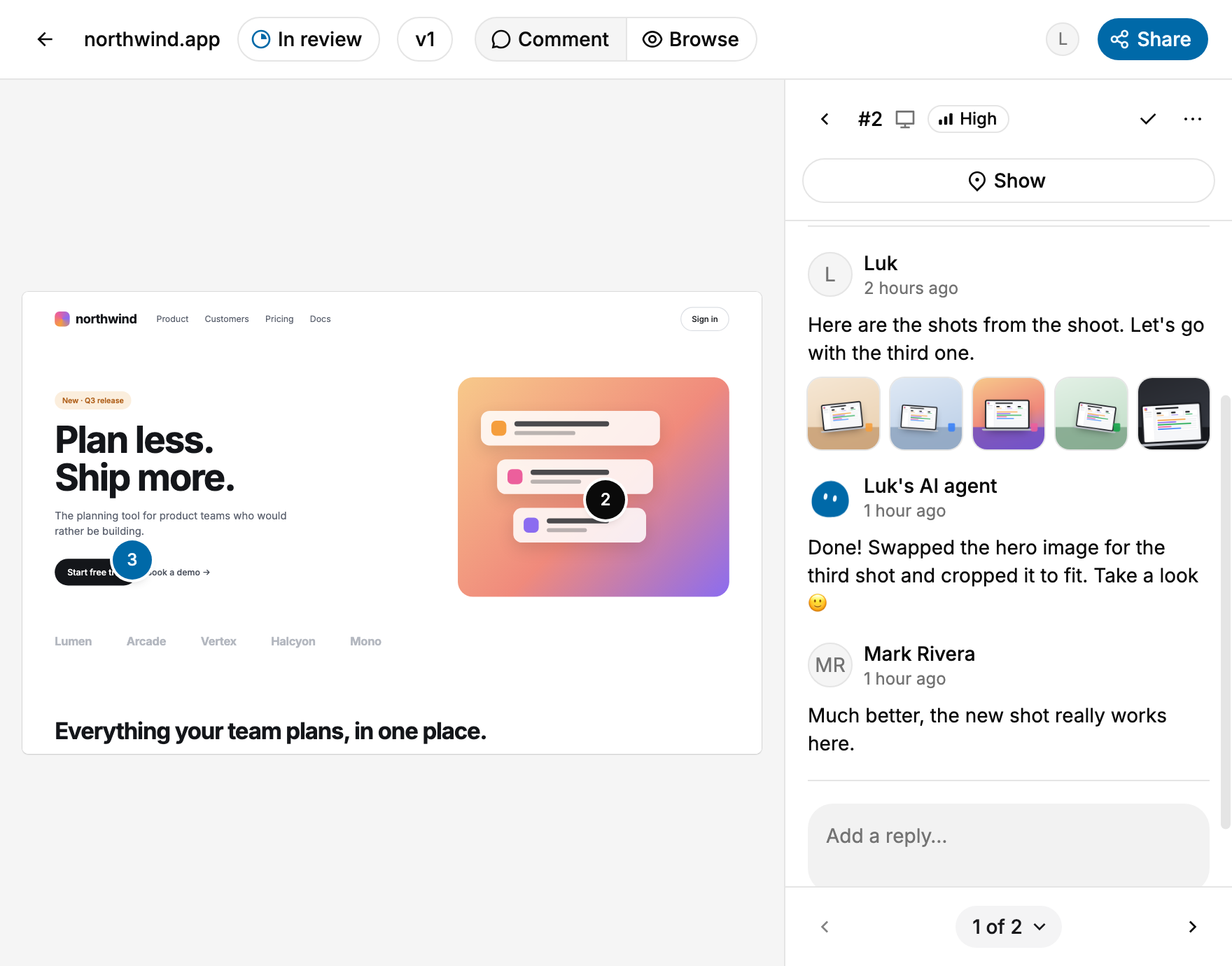
Turn feedback into a conversation

Reply in context, attach images or videos, set priorities and resolve comments as the work moves forward. Filter by page, device or priority, and send a link to any single comment.
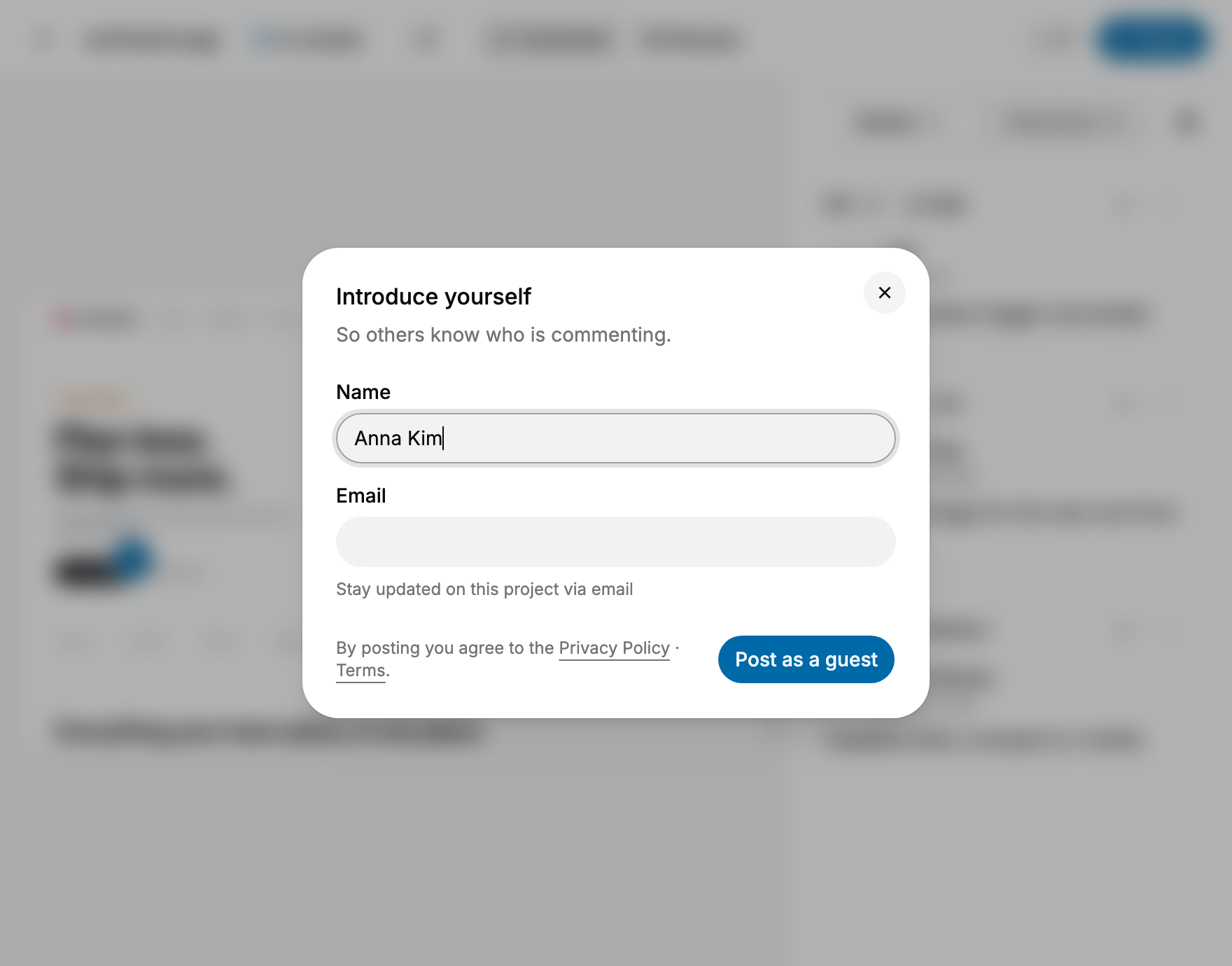
No account required for reviewers

Share the project link and start collecting feedback. Clients, teammates and testers can browse the website or prototype, leave comments and join discussions without going through a signup flow. Guests just enter their name.
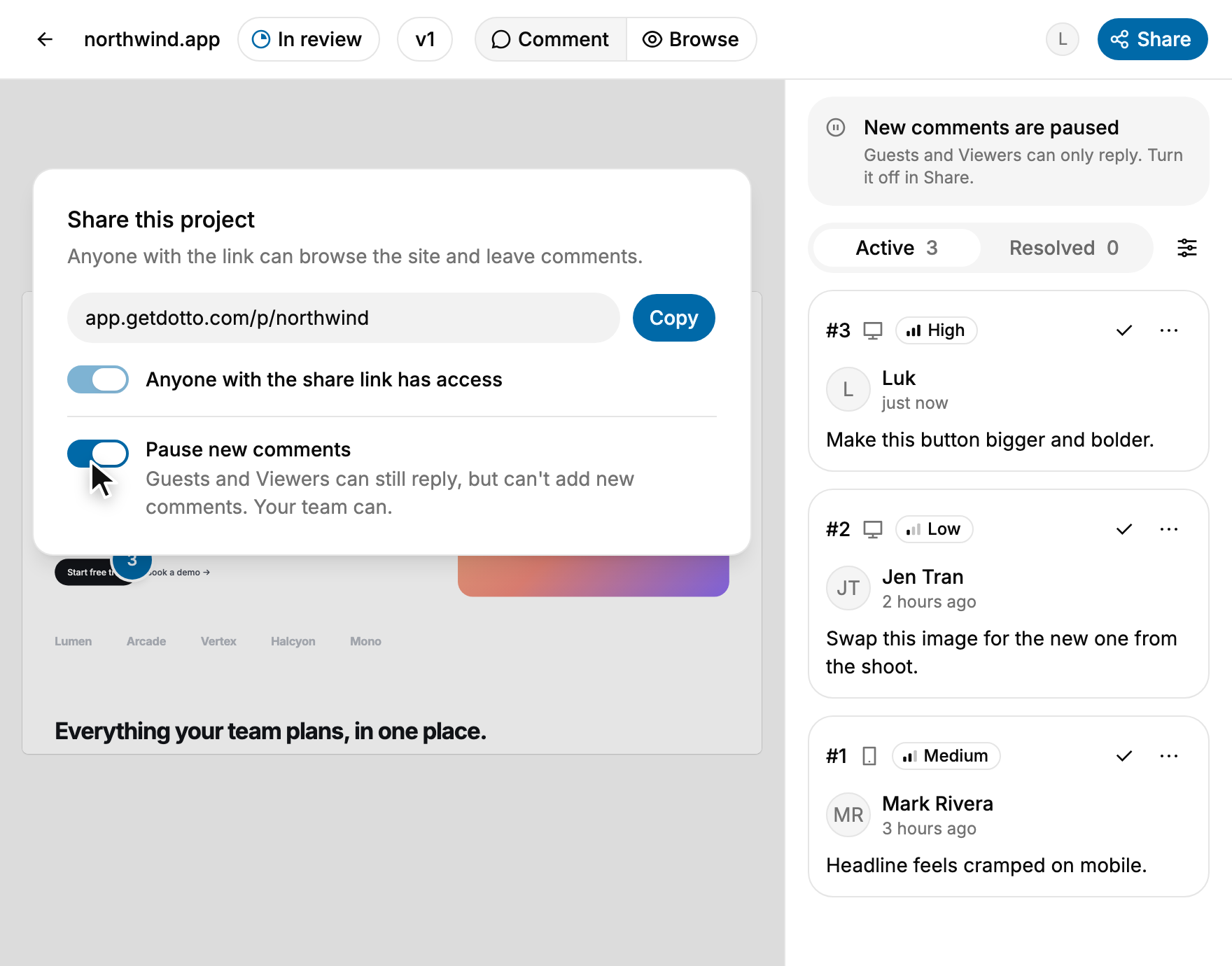
Pause new comments

Wrapping up a round? Pause new comments from guests and viewers. Your team can still reply, resolve and finish the feedback that's already there.
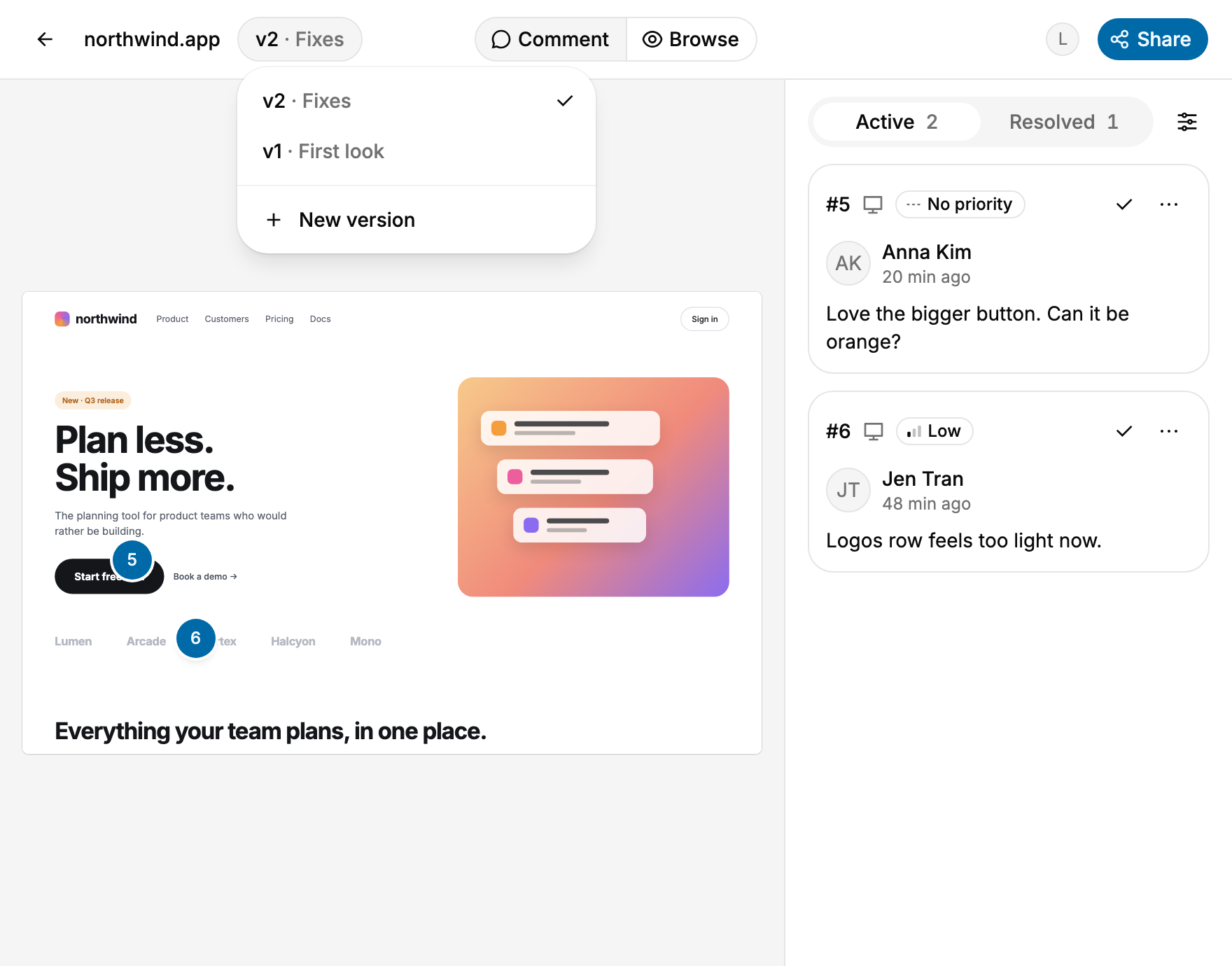
Keep review rounds organized

Create a new version for each round of changes. Track active and resolved comments without losing the history of earlier feedback.
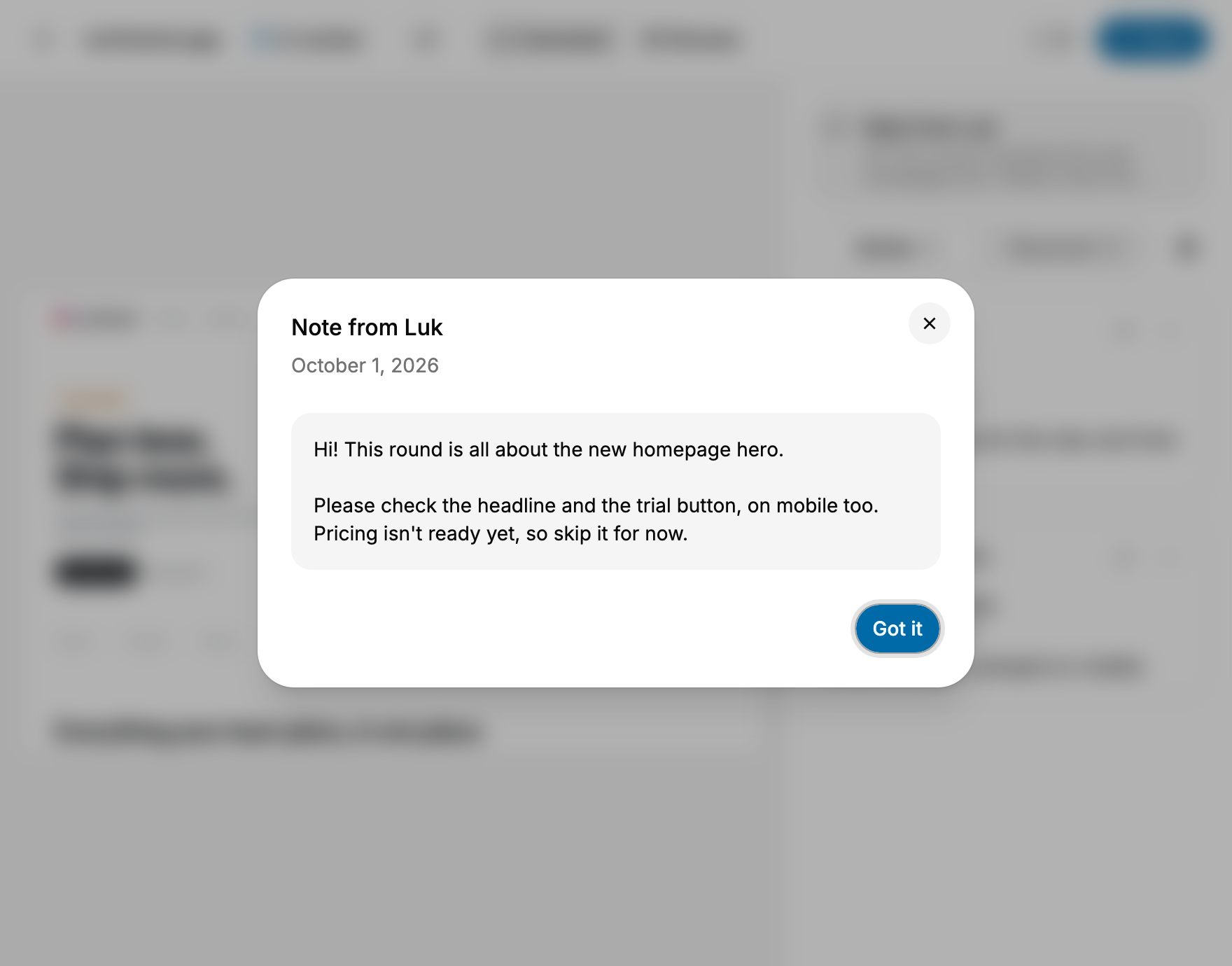
Brief your reviewers

Leave a note on the project: what to check, what isn't ready yet, what changed this round. Reviewers see it as soon as they open it.
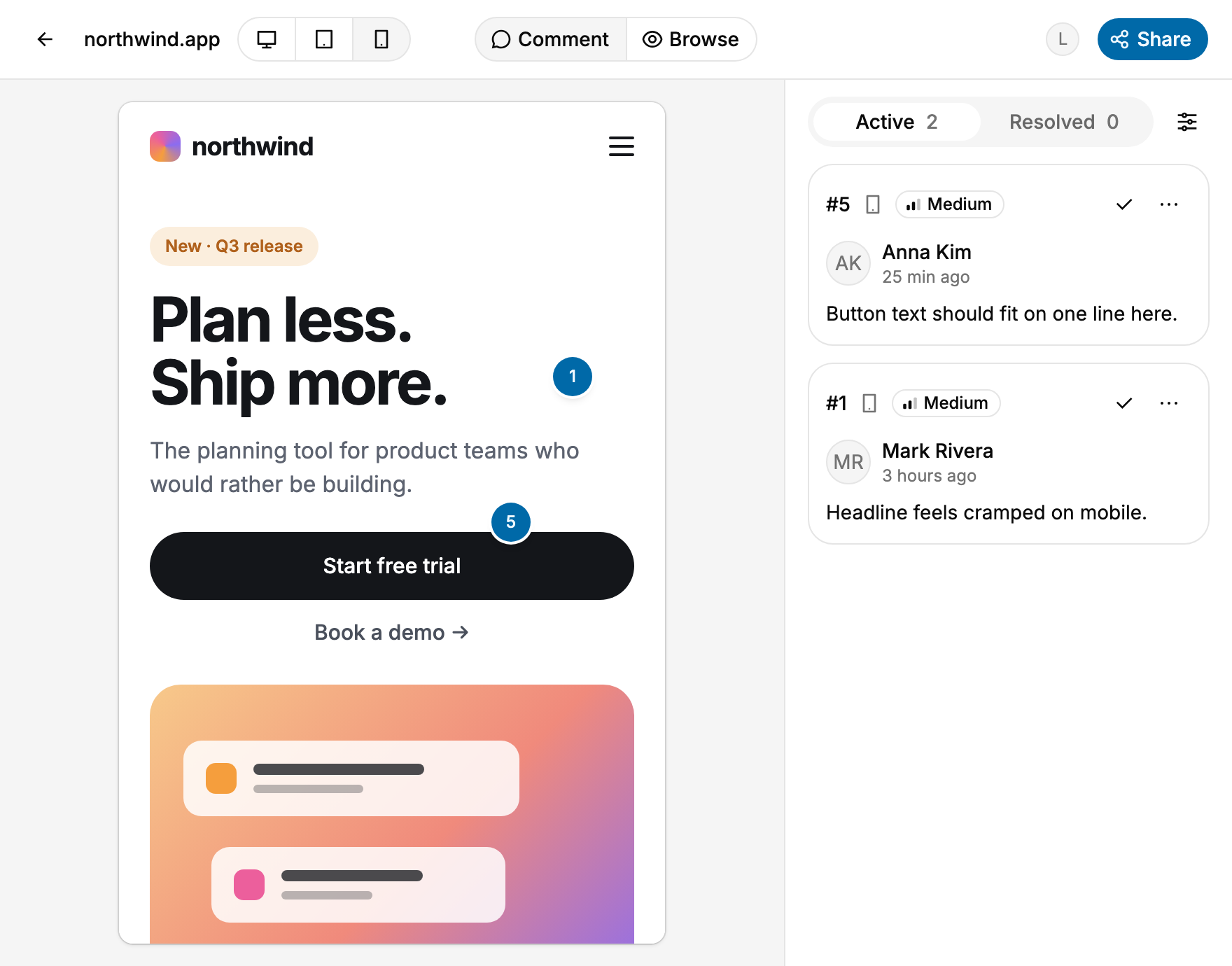
Review every screen size

Switch between Web, Tablet and Mobile views. Leave feedback in the right context, so your team knows exactly which layout needs attention.
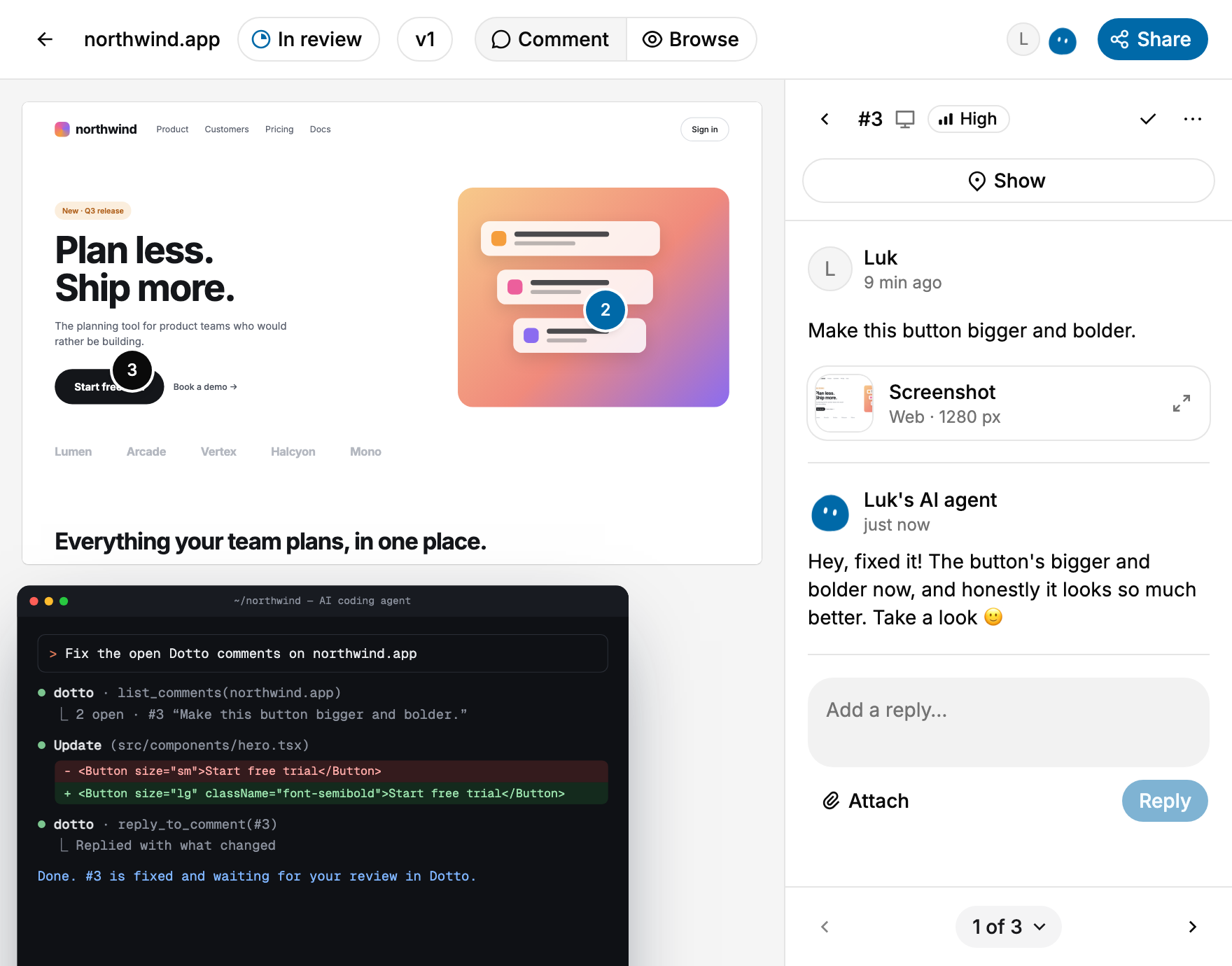
Let AI act on your feedback

Connect Dotto through MCP. An AI assistant can find, summarize and organize feedback. A coding agent can use that same context, ship fixes and reply with what changed.
Review your app where it runs

Add one line of script and a small Dotto toolbar appears on your app, even behind a login, on staging or on localhost. Comment, reply and resolve without leaving it.
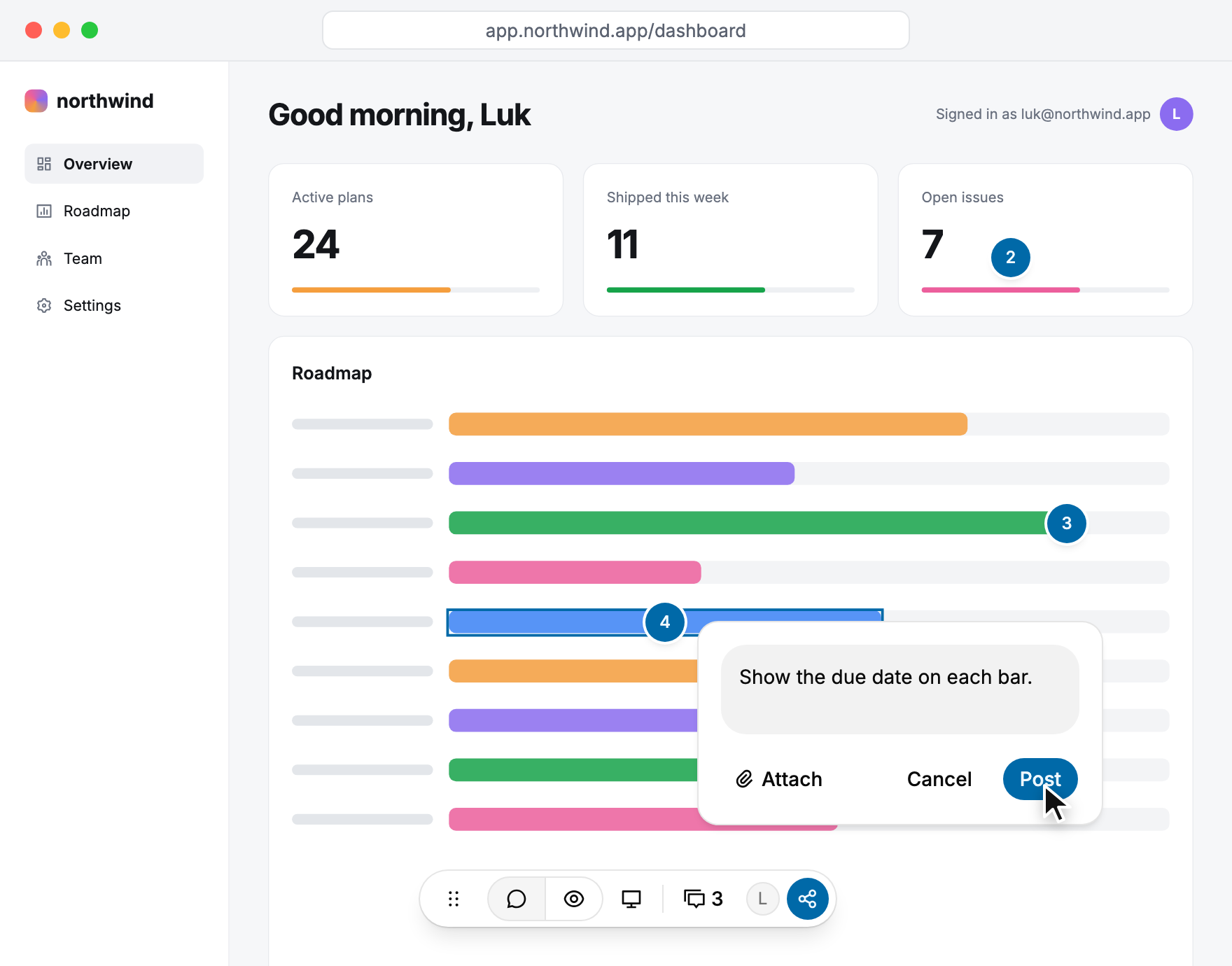
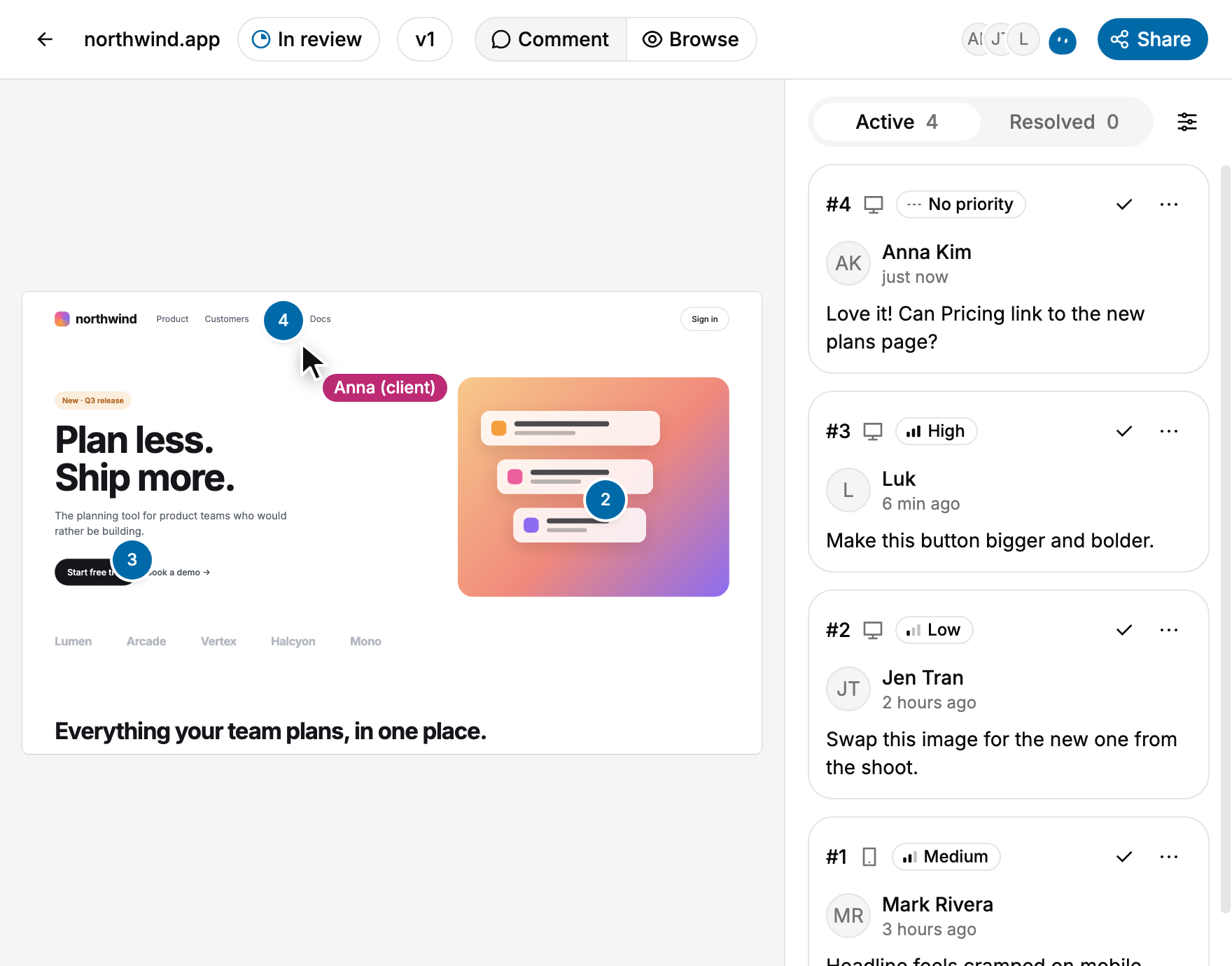
Review together, live

New comments, replies and status changes show up instantly for everyone, including your AI agent's replies. Avatars show who's in the project right now.
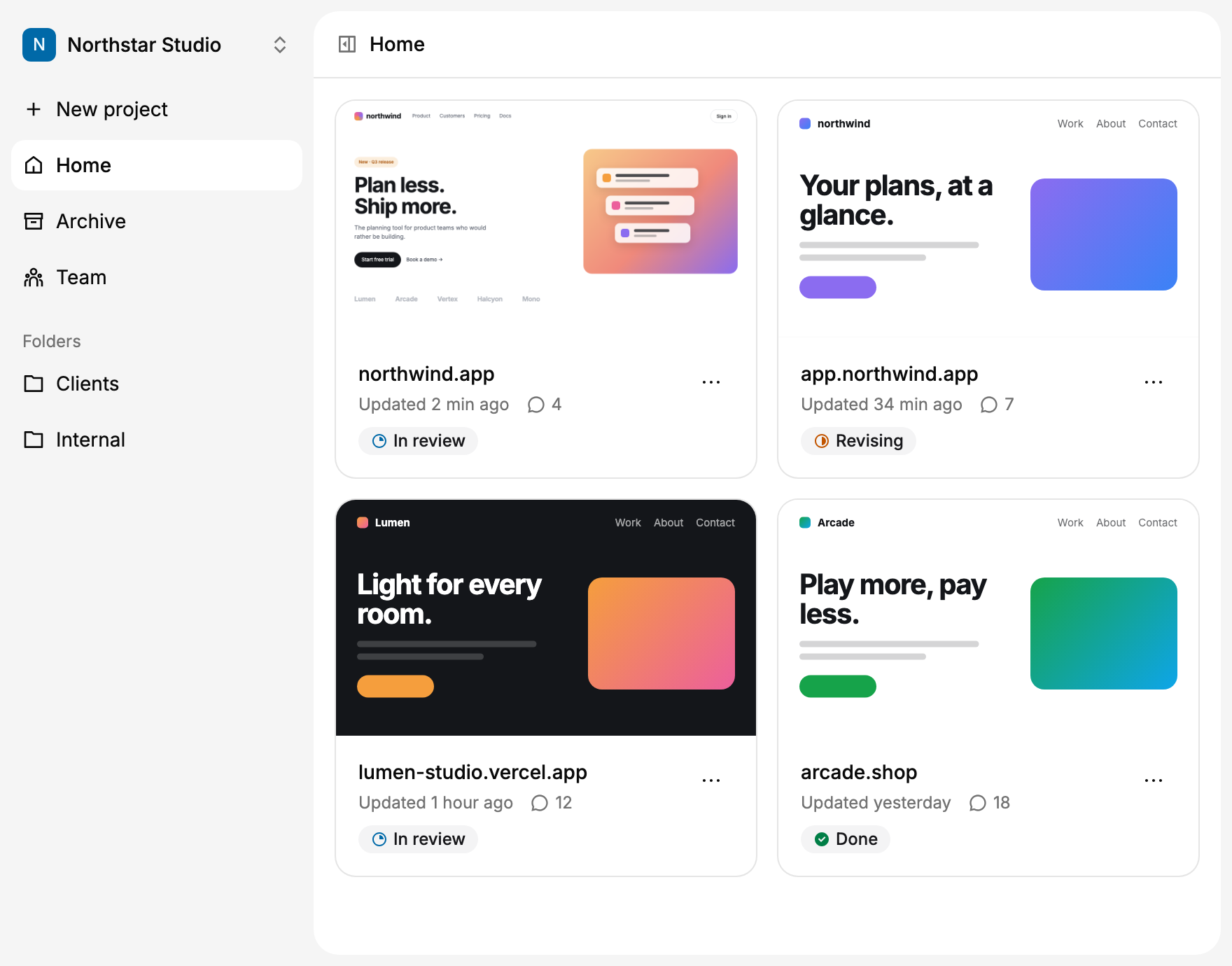
Keep everyone in sync

Organize projects in a workspace, see what's still in review and get notified when the conversation moves forward.
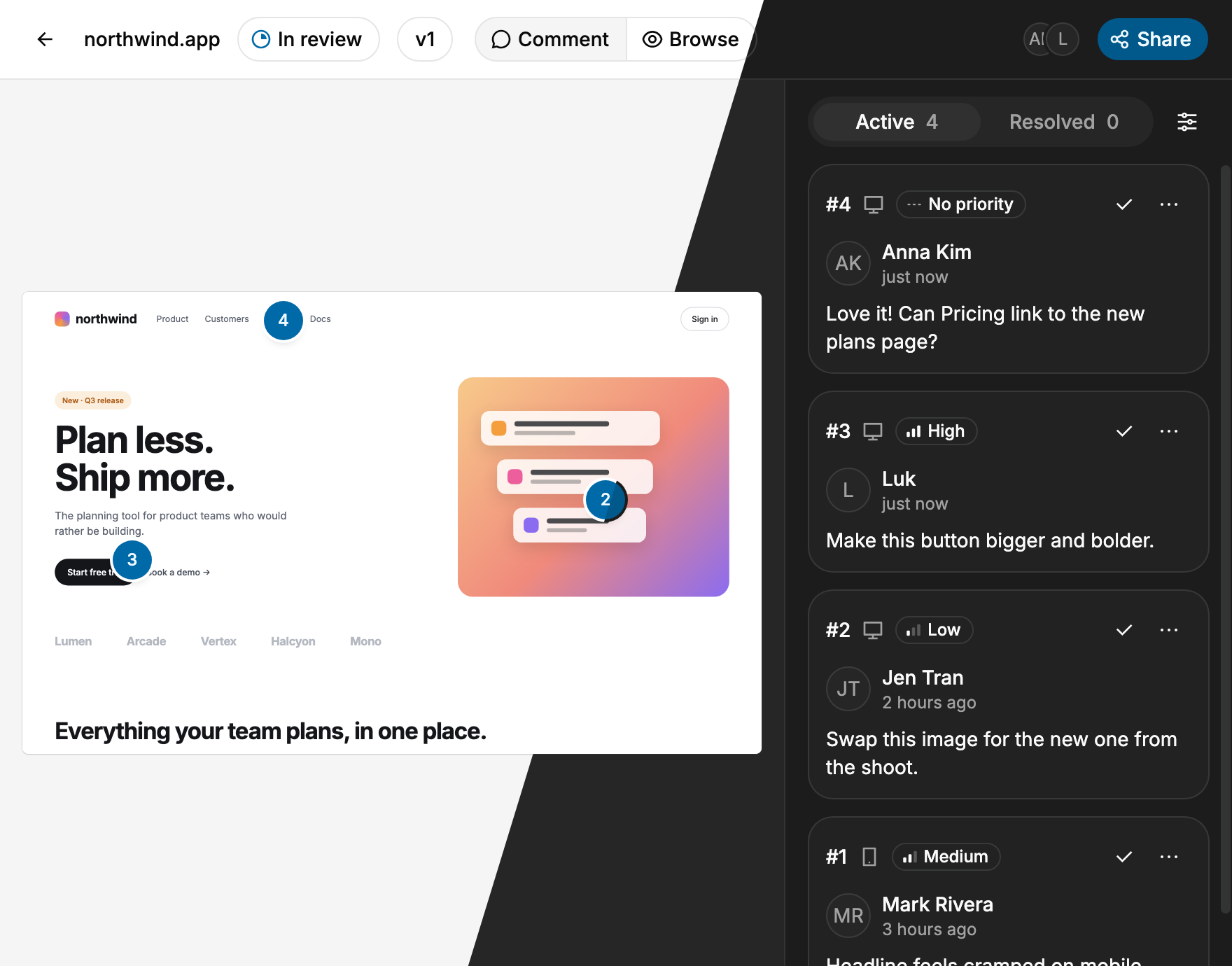
Dark mode

Dotto follows your system's light or dark theme, or you can pick one yourself. The site you're reviewing always stays exactly as it is.
Who it’s for

Built for the people building and reviewing websites and apps

Join the beta

Agencies & clients

Bring every client comment on content, layout and mobile views into one review link. Clients comment without an account, and each approval round stays organized.

Product teams

Keep founders, PMs, designers and developers looking at the same feedback instead of piecing it together from Slack messages, screenshots and tasks. Go from a comment on a working feature to a change the team can review.

Freelancers

Send a client one link instead of asking for annotated screenshots or another call. See exactly what they mean, make the change and keep the project moving.

Founders building with AI

Building your app with Claude Code, Cursor or Codex? Share one link with testers, friends or early users, see exactly what they point at, and let your AI tool work through the feedback. No rewriting every comment as a prompt.
Pricing

Start free. Pay when your team grows.

The first 10 founding members get 50% off their first year

Dotto is free during the beta

The prices below start later. The first 10 people who join the beta become founding members and get 50% off Pro or Team for their first year.

Free

For trying Dotto on one project.

$0/ month

Free forever. No card needed.

  • 1 workspace
  • 1 team member
  • 1 active project
  • Unlimited viewers & guest reviewers
  • 1 GB for file uploads (images & videos)
  • AI access via MCP
    Claude & Claude CodeCodexCursor

Pro

For freelancers and founders building with AI.

$15/ month

$180 billed once a year.

  • Unlimited workspaces
  • 2 team members
  • 10 active projects
  • Unlimited viewers & guest reviewers
  • 10 GB for file uploads (images & videos)
  • AI access via MCP
    Claude & Claude CodeCodexCursor

FAQ

Do I need to install anything on my website?
Not for public sites. Paste a URL and Dotto opens it for review, with no script, browser extension or code changes. Only apps behind a login, on a private staging or on localhost need one line of script.
Do reviewers need a Dotto account?
No. Anyone you share the project link with, whether clients, teammates or testers, can browse the site and leave feedback as a guest, without signing up.
How is this different from sending screenshots?
Comments are pinned to the real element on the working site, not to a static image. Each one keeps the page, the device and a screenshot, so everyone sees exactly what the reviewer saw, even after the site changes.
Which websites can I use with Dotto?
Most public websites, preview links and prototypes work with just their URL; a few block being opened this way. For your own apps behind a login, on a private staging or on localhost, add one line of script and comment right on the app, in your own browser.
Does Dotto work with a staging environment?
Yes. If your staging site is public, paste its URL like any other site. If it's behind a login or password, add one line of script to it and review it right there.
Does it work for mobile and tablet layouts?
Yes. Switch between Web, Tablet and Mobile views and leave feedback on each layout. Every comment remembers the view it was left in.
What happens to comments when the site changes?
They stay attached to the element they were left on, and each keeps its screenshot. For a new round of changes, add a version: earlier feedback stays in its own history.
Who can see the feedback?
Your team in the workspace and anyone you share the project link with. Owners and members manage projects, viewers can only comment, and you can pause new comments from guests at any time.
Do I need an AI coding agent?
No. You can review and manage feedback in Dotto without AI. MCP also lets you connect an AI assistant such as Claude and ask what feedback is still open, which comments need attention, or for a summary of the latest review. If you use a coding agent, it can take that context into your codebase and help work through fixes.
Can the AI change my live website?
No. Dotto never touches your site. Your AI tool reads the comments and works in your own code, where you let it, then replies in the thread with what it changed. A person checks the fix and resolves the comment.
How much does Dotto cost?
Nothing during the beta. Paid plans start later: Free, Pro at $19 a month and Team at $49 a month (20% less when paid yearly). The first 10 people who join the beta become founding members and get 50% off Pro or Team for their first year.
Can I get a refund?
Yes. If Dotto isn't right for you, email us at czarnackigrafika@gmail.com within 14 days of your first payment and we'll refund it in full. We'll ask what didn't work for you, only so we can make Dotto better. You can also cancel anytime: your plan stays active until the end of the period you paid for.

Stop reviewing interactive work through static screenshots.

Put the feedback directly on the product.
Join the beta
Skip to content